






Arduino Tutorial
Ultrasonic Distance Sensor
This tutorial demonstrates how to use an HC-SR04 ultrasonic sensor with an Arduino to measure distances accurately. By following this guide, you will learn how to set up the sensor, wire the connections, and upload the Arduino code to display distance measurements in real-time.
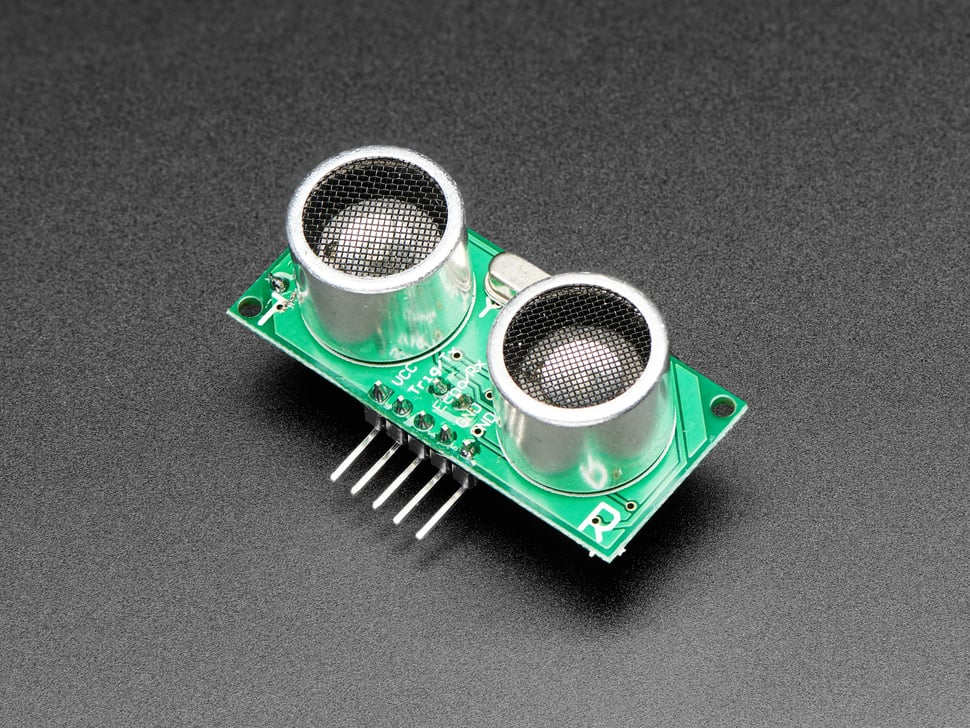

Application for Autonomous Rover Missions
The ultrasonic sensor can be used in autonomous rover missions to detect and avoid obstacles, ensuring smooth navigation. It helps the rover determine distances to nearby objects and take appropriate action to prevent collisions.
Required Hardware
To complete this tutorial, you will need:
- Arduino Uno
- HC-SR04 Ultrasonic Sensor
- Breadboard
- Jumper Wires
- USB Cable for Arduino
Required Libraries
No additional libraries are required for this project.
Wiring Diagram
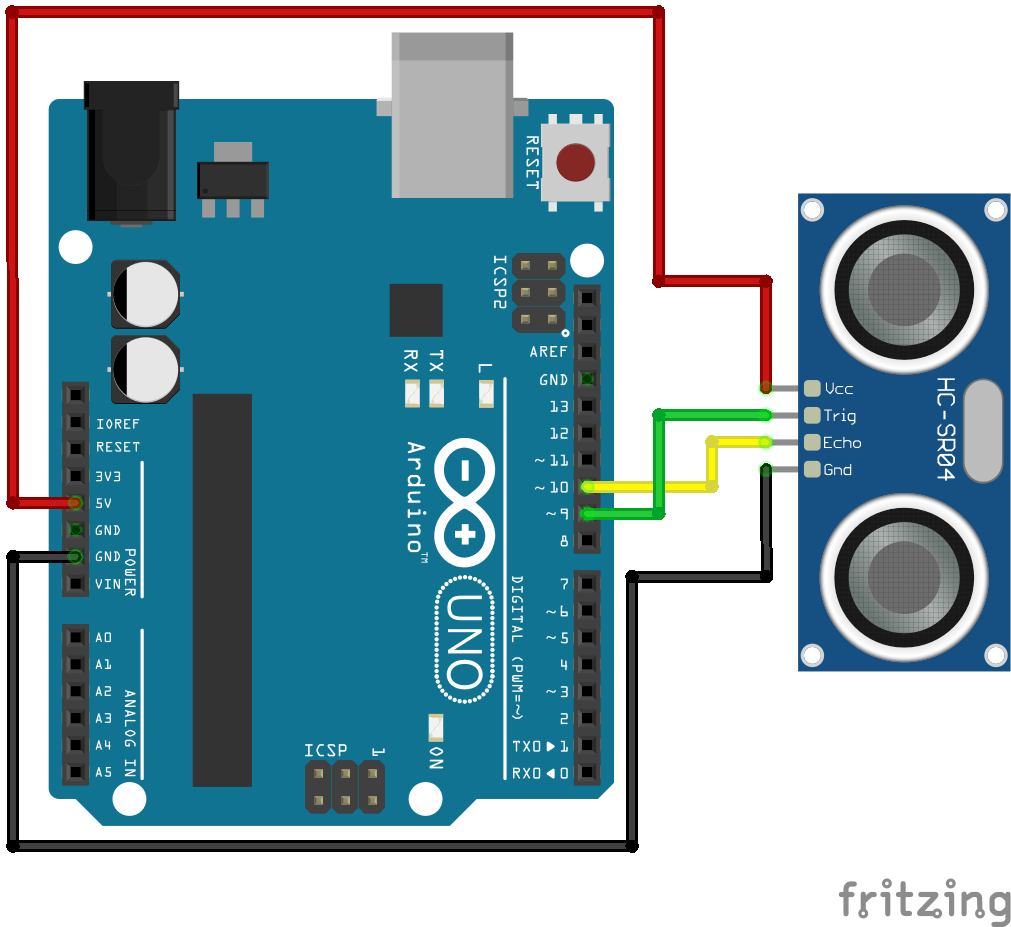
Below is a simple wiring guide for connecting the HC-SR04 sensor to the Arduino:
- VCC (Sensor) → 5V (Arduino)
- GND (Sensor) → GND (Arduino)
- TRIG (Sensor) → Digital Pin 9 (Arduino)
- ECHO (Sensor) → Digital Pin 10 (Arduino)
Sample Arduino Code
                                    #define TRIG_PIN 9  // Pin connected to the Trig pin of the sensor
                                    #define ECHO_PIN 10 // Pin connected to the Echo pin of the sensor

                                    void setup() {
                                        pinMode(TRIG_PIN, OUTPUT);
                                        pinMode(ECHO_PIN, INPUT);
                                        Serial.begin(9600); // Start serial communication
                                        Serial.println("Type 'Measure Distance' to get distance reading.");
                                    }

                                    void loop() {
                                        // Check if user has entered a command
                                        if (Serial.available()) {
                                            String command = Serial.readStringUntil('\n'); // Read user input
                                            command.trim();  // Remove extra spaces and new lines

                                            if (command.equalsIgnoreCase("Measure Distance")) {
                                                measureDistance(); // Call function to measure and display distance
                                            }
                                        }
                                    }

                                    // Function to measure and display distance
                                    void measureDistance() {
                                        long duration, dist_mm, dist_cm, dist_m;

                                        // Trigger the ultrasonic sensor
                                        digitalWrite(TRIG_PIN, LOW);
                                        delayMicroseconds(2);
                                        digitalWrite(TRIG_PIN, HIGH);
                                        delayMicroseconds(10);
                                        digitalWrite(TRIG_PIN, LOW);

                                        // Measure the echo time
                                        duration = pulseIn(ECHO_PIN, HIGH);

                                        // Convert time to distance
                                        dist_mm = (duration * 0.34) / 2;  // Distance in mm
                                        dist_cm = (duration * 0.034) / 2; // Distance in cm
                                        dist_m = (duration * 0.00034) / 2; // Distance in meters

                                        // Print the distance values
                                        Serial.print("Distance: ");
                                        Serial.print(dist_mm); Serial.print(" mm, ");
                                        Serial.print(dist_cm); Serial.print(" cm, ");
                                        Serial.print(dist_m); Serial.println(" m");
                                    }